Wise Business account limits explained 🔍: for US businesses [2026]
Wise Business account limits are generally high, and designed for businesses making frequent international transactions.
Some Wise Business customers have no USD holding limit, and where one applies, it’s set at 150 million USD/year for convenience. Most Wise Business customers in the US can send up to 1 million USD per transfer, or up to 20 million EUR when paying from euros.
Some Wise limits exist to keep customers and their funds safe and to comply with local and international legislation. This guide covers all you need to know.
Understanding your Wise Business account limits 🔎
Financial service providers like Wise Business apply limits to the account services they offer, for security, and to keep customers and their money safe. Limits can vary depending on the type of transaction you want to make, and in some cases can be increased safely by following additional steps such as providing ID documents or details of the funding source for a payment.
Information in this guide is correct at time of research – 16th April 2026. As details can change, take a look at the Wise Business website to understand limits which apply to your account before you transact.
You can also learn more about Wise Business USD transfers and Wise Business EUR transfers here, or check out the Wise guides to different currencies online.
Is the Wise transfer limit different for businesses? 🤔
📌Wise transfer limits vary depending on the currency you pay from and send to, and the type of account you hold. Limits may be different for personal and business customers – this depends on the details of your account and the currencies you’re using.
There’s more information about this on the Wise Help page covering Wise Business transaction options by currency.
🎯 Wise Business transfer limits in the US 🇺🇲
In this guide we’re focusing on Wise Business sending limits, receiving limits, and card limits, so you can learn more about how to use your account safely and conveniently.
About Wise Business in the US
Open a Wise Business account to make life easier when managing an international business. Hold 40 currencies, receive payments with local account information for 8 currencies, and send and convert with fees as low as 0.57%.
Wise Business offers a linked Wise Multi-Currency Card for business so you can spend and manage business expenses globally with low costs, and has accounting integrations to save time, as well.
Learn more: Wise Business Account Review
Limits for sending payments ⬆️
⚠️ Limits which apply for customers based in Wise licensed states, Guam, or the Virgin Islands, or in a country outside of the US. These limits are for Wise transfers when you pay from USD:
| Payment type | Wise Business limit |
|---|---|
| Per transfer maximum limit | 1 million USD |
| Paying with ACH | 100,000 USD per 24 hours Additional limits of between 100,000 USD and 400,000 USD may apply on a 60 day rolling basis, which can be viewed in the Wise app |
| Paying with card | 2,000 USD per 24 hours 8,000 USD per 7 day period |
Details correct at time of research – 16th April 2026 – learn more in the Wise Guide to USD payments.
It’s helpful to know that if you’re sending over 50,000 USD per 24 hours, your payment will take longer to process.
✍️ Writers Tip: Wise payment limits can vary depending on the currency you send from and to. In some cases you can send higher value payments if you use the funds already in your Wise Business account. Check the full information for your specific currency needs so you know what to expect.
Limits for receiving payments ⬇️
For most currencies, there’s no limit to how much you can receive to your Wise Business account. You may need to provide some information to Wise when receiving large payments, to comply with financial legislation.
There are also some limits based on specific currencies.
💡 For example some Wise Business US customers have a limit on the amount they can receive, which is set at 50 million USD per transaction or per day, or 150 million USD annually. This applies if your Wise USD routing number starts with 026.
You may also find your USD receiving limit is set to 20 million USD – you’ll see the details in the app for your specific account.
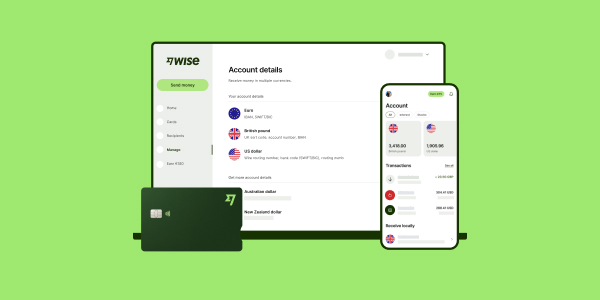
Holding limits for Wise Business account
So – what is the maximum amount I can have in my Wise Business account? In most cases there’s no maximum limit on the total amount you can hold in your account, subject to the specific USD receiving limits which apply on some currencies, described above.
Wise Business spending limits and card usage 💳
Get a Wise Multi-Currency Card for business for yourself and invite your team to order them for their business spending, too. You can set and manage individual card limits to track expenses, and cut the costs of overseas business spend thanks to the great Wise rates and low fees on offer.
The Wise Multi-Currency Card for business has a few limits it is worth knowing. There’s an overall account limit which has a default and a maximum, and you can also set individual cardholder limits as the account owner. The cardholder can then set their own individual card limits to help manage spending holistically across your team.
Cardholder and card limits can be adjusted within the app. Here are the limits which apply to your Wise Multi-Currency Card for business:
| Limits per transaction type | Single payment | Daily | Monthly |
| Chip and PIN/ mobile wallet | Default: 1,000 USD Max: 2,000 USD | Default: 1,000 USD Max: 2,000 USD | Default: 5,000 USD Max: 15,000 USD |
| ATM withdrawal | Default: 250 USD Max: 1,000 USD | Default: 250 USD Max: 1,000 USD | Default: 1,500 USD Max: 6,000 USD |
| Contactless | Default: 200 USD Max: 400 USD | Default: 500 USD Max: 1,000 USD | Default: 1,500 USD Max: 4,000 USD |
| Magnetic stripe | Default: 1,000 USD Max: 1,500 USD | Default: 1,000 USD Max: 1,500 USD | Default: 1,500 USD Max: 6,000 USD |
| Online purchase | Default: 1,000 USD Max: 2,000 USD | Default: 1,000 USD Max: 2,000 USD | Default: 2,000 USD Max: 15,000 USD |
Details correct at time of research – 16th April 2026 – learn more in the guide to Wise card spending limits
Managing your expense card spending limits ⚙️
💳 Your Wise Multi-Currency Card for business offers the option to set limits for team members and to control card spend.
The account owner, as well as team members with permission to set team members’ card spending limits, can set the total account limit which applies to all card holders. You can also set a limit to individual cardholders if you would like to.
The cardholder themself can then set a card limit if they require additional safeguards.
This approach lets you track and manage spending while still allowing your team autonomy and ease of spending where it’s required.
How to increase your Wise Business account limits 📈
If you receive a large payment you may not need to take any action yourself – or in some cases you might be asked by Wise to give some details about your relationship with the sender, or the purpose of the payment.
This is a regulatory requirement, managed by Wise on your behalf.
How to request a limit increase for your Wise Business account 💻
If you want to set or change a card spending limit with Wise Business you can do so online or in the Wise app.
💳 Here’s how to adjust your card limits online, as an example:
- Log into Wise Business and go to the Cards tab
- Select Your spending limits and then got to the Account limits section
- Select View account limits and then Edit account limits
- Enter your new limits, and confirm
⬆️If you need to increase your limit for sending a payment, you’ll be able to reach out to the Wise Business team directly to talk through your options. You may be asked to provide some additional information or details to support your payment, and to keep your account secure.
How to check the limits on your Wise Business account
As we’ve seen, for most currencies, there’s no limit on how much you can receive to your account. If any limit does apply on your account you’ll be able to find it in the app by going to your profile button, and selecting Limits and Account transfer limits.
Is Wise Business safe for large amounts? 🔐
Wise Business has a broad range of security features which are built into the app and digital service – plus you can easily talk to a team member if you’re ever concerned about a transaction.
Wise Business accounts offer 2 factor authentication, a thorough account verification process, ways to freeze and unfreeze your card in the app if you ever need to, and easy ways to connect with Wise agents using the in app chat feature.
Learn more about how Wise keeps your money safe here.

Fees for Wise Business accounts in the US 💰
With the Wise Business account there’s no fee to register, and no monthly charge to pay – but there are a few fees you’ll need to know about when you transact. We’ve highlighted a few key costs here, and you can read more about Wise Business fees on the Wise Fees & Pricing pages.
| Service | Wise Business fee |
|---|---|
| Register an account | No fee |
| Send or convert currencies | From 0.57% |
| Order a Wise Multi-Currency Card for business | 9 USD |
| Receiving domestic payments (non-Swift / non-wire) in 8 currencies | No fee |
| Receiving USD wire and Swift payments | 6.11 USD |
| Receiving other currency SWIFT payments | Low fixed fee based on currency |
*Details correct at time of research – 16th April 2026 About Wise pricing: Please see Terms of Use for your region or visit Wise Fees & Pricing for the most up to date pricing and fee information.
📚If you are not sure which Wise account is right for you, this details comparison might be helpful: Wise personal vs business accounts in the US
Sources 📚
(Information last checked on 16th April 2026)